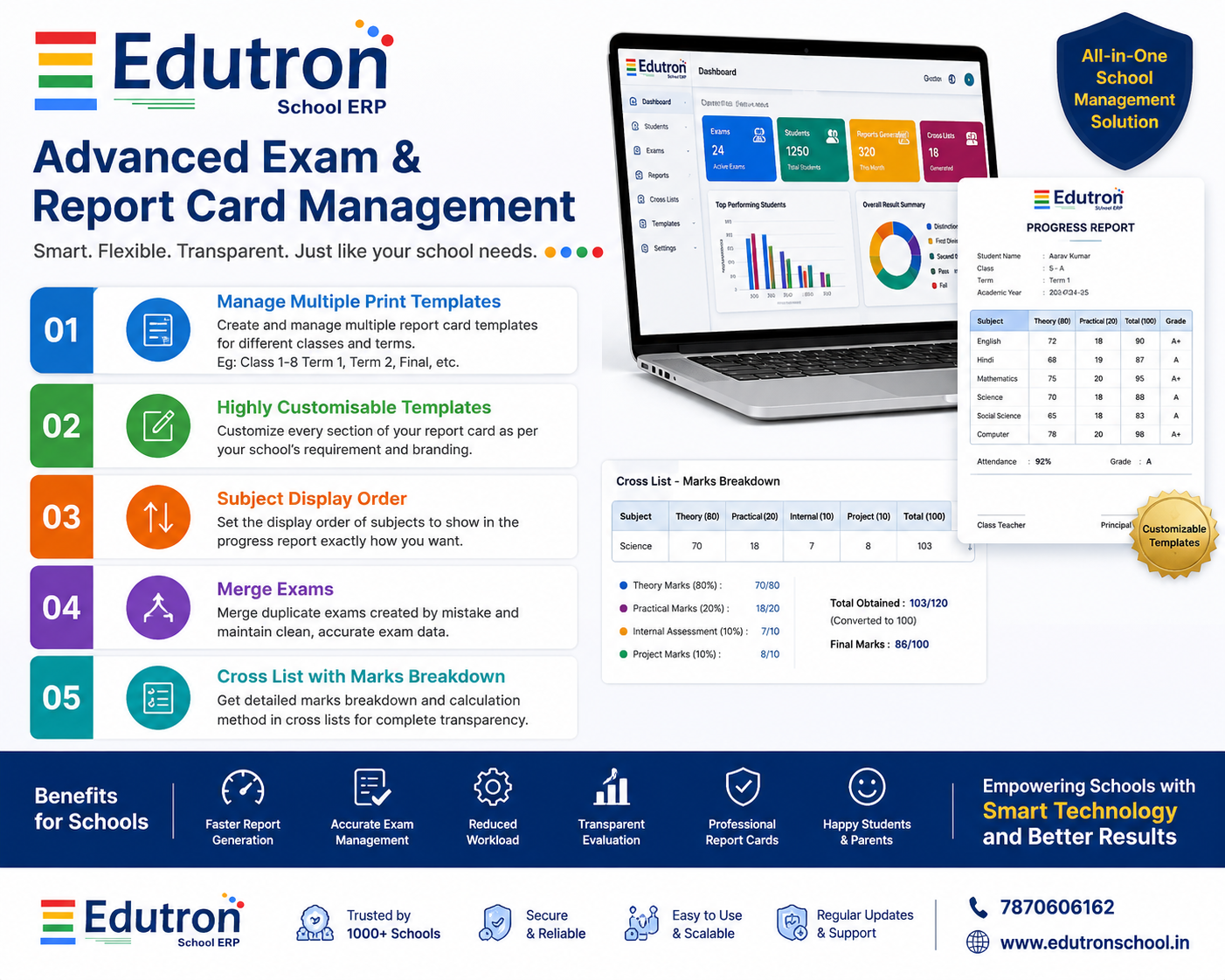
Advanced Exam & Report Card Management Features in Edutron School ERP
Managing examinations, marks, and report cards efficiently is one of the most important responsibilities of any educational institution. To make this process more flexible and user-friendly, Edutron School ERP has introduced several powerful enhancements in its School Exam Management Software and School Marks Management Software.
These new features help schools create highly customized progress reports, organize subject display order, merge duplicate examinations, and provide complete transparency in mark calculations through detailed cross-list breakdowns.
1. Multiple Progress Report Templates for Different Classes and Terms
Every school follows a unique examination pattern. Some schools use separate report card formats for Term-1, Term-2, and Final Examinations, while others maintain different templates for various classes.
With the latest update in Edutron School ERP, schools can now create and manage multiple progress report templates according to their requirements. For example:
- Class 1 to 8 – Term 1 Report Card
- Class 1 to 8 – Term 2 Report Card
- Class 1 to 8 – Final Examination Report Card
- Primary Section Report Format
- Secondary Section Report Format
- Senior Secondary Report Format
This flexibility makes Edutron one of the most powerful School Progress Report Generation Software solutions available today.
2. Highly Customizable Report Card Templates
Schools often require unique report card designs that match their academic policies and branding guidelines. The new template management system allows schools to customize report cards extensively.
Administrators can configure:
- School logo and header information
- Subject display formats
- Grade and remark sections
- Attendance information
- Co-curricular activity details
- Teacher and Principal signatures
- Custom examination summaries
- Student performance indicators
This ensures every school can generate professional and institution-specific report cards without any manual formatting work.
3. Subject Display Order Management
One of the most requested features from schools was the ability to control how subjects appear in progress reports.
Previously, subjects were displayed according to their creation sequence. Now schools can define a custom display order for subjects, ensuring report cards are generated exactly as required.
For example:
- English
- Hindi
- Mathematics
- Science
- Social Science
- Computer
- General Knowledge
This enhancement improves report card presentation and maintains consistency across all classes and examinations.
4. Exam Merge Facility for Duplicate Exams
In large schools, duplicate examinations may sometimes be created accidentally during setup. Such situations can lead to confusion in marks entry and report generation.
To solve this issue, Edutron School ERP now provides an Exam Merge facility.
Using this feature, administrators can:
- Merge duplicate examinations into a single exam record
- Preserve existing marks data
- Avoid duplicate entries
- Maintain accurate examination history
- Generate error-free reports
This feature significantly reduces administrative effort and ensures better data accuracy in the School Exam Management Software.
5. Cross List with Detailed Marks Breakdown
Transparency in mark calculation is essential for teachers, administrators, students, and parents.
The enhanced School Cross Lists Generation Software now includes a detailed marks breakdown section.
The cross list clearly displays how the final marks have been calculated by showing:
- Theory Marks
- Practical Marks
- Internal Assessment Marks
- Project Marks
- Activity Marks
- Weightage Calculations
- Final Total Marks
This provides complete visibility into the evaluation process and helps schools maintain transparency and accuracy in result preparation.
Benefits for Schools
- Faster report card generation
- Reduced administrative workload
- Professional and customizable report formats
- Improved examination data accuracy
- Transparent marks calculation process
- Better academic record management
- Enhanced parent and student satisfaction
Why Choose Edutron School ERP?
Edutron School ERP is a comprehensive school management solution designed to automate every aspect of school operations including admissions, attendance, fees, examinations, report cards, communication, transport management, HRMS, inventory, and much more.
With continuous feature enhancements and user-friendly design, Edutron helps schools improve efficiency while maintaining complete control over academic and administrative processes.
If you are looking for reliable School Exam Management Software, School Marks Management Software, School Progress Report Generation Software, and School Cross Lists Generation Software, Edutron School ERP is the ideal solution for your institution.
Get Started Today
Transform your school's examination and reporting process with Edutron School ERP. Experience powerful customization, accurate result management, and professional progress report generation in a single platform.
Visit: https://edutronschool.in
Contact: 7870606162